.png)
<imgwrap>

<author>
George Greenhalgh
Product Manager
</author>
</imgwrap>
March 2026
Our software team has been hard at work developing improvements inspired by your feedback. These updates are designed to make your day-to-day tasks simpler, safer, and more efficient. Here’s what’s new:
New: Shared Partner Hub to connect support providers
The new Shared Partner Hub allows Lightning Reach partners to create their own network of connected support providers. Within one platform, partners can refer clients directly to other organisations in just a few clicks, with client information automatically carried across and all key data recorded in one place.
Partners in the network can also see the client’s full support journey from start to finish across participating organisations, providing transparency into referrals, actions taken, and the support a client has received. This shared view helps ensure clients don’t fall through the cracks and reduces the need for them to repeat the same information multiple times.
We developed this feature in response to feedback from partners who told us that referring clients to other organisations is often fragmented and time-consuming, with limited visibility once a referral has been made.
The Shared Partner Hub is particularly useful for organisations that regularly collaborate with multiple partners to provide coordinated support for their clients.
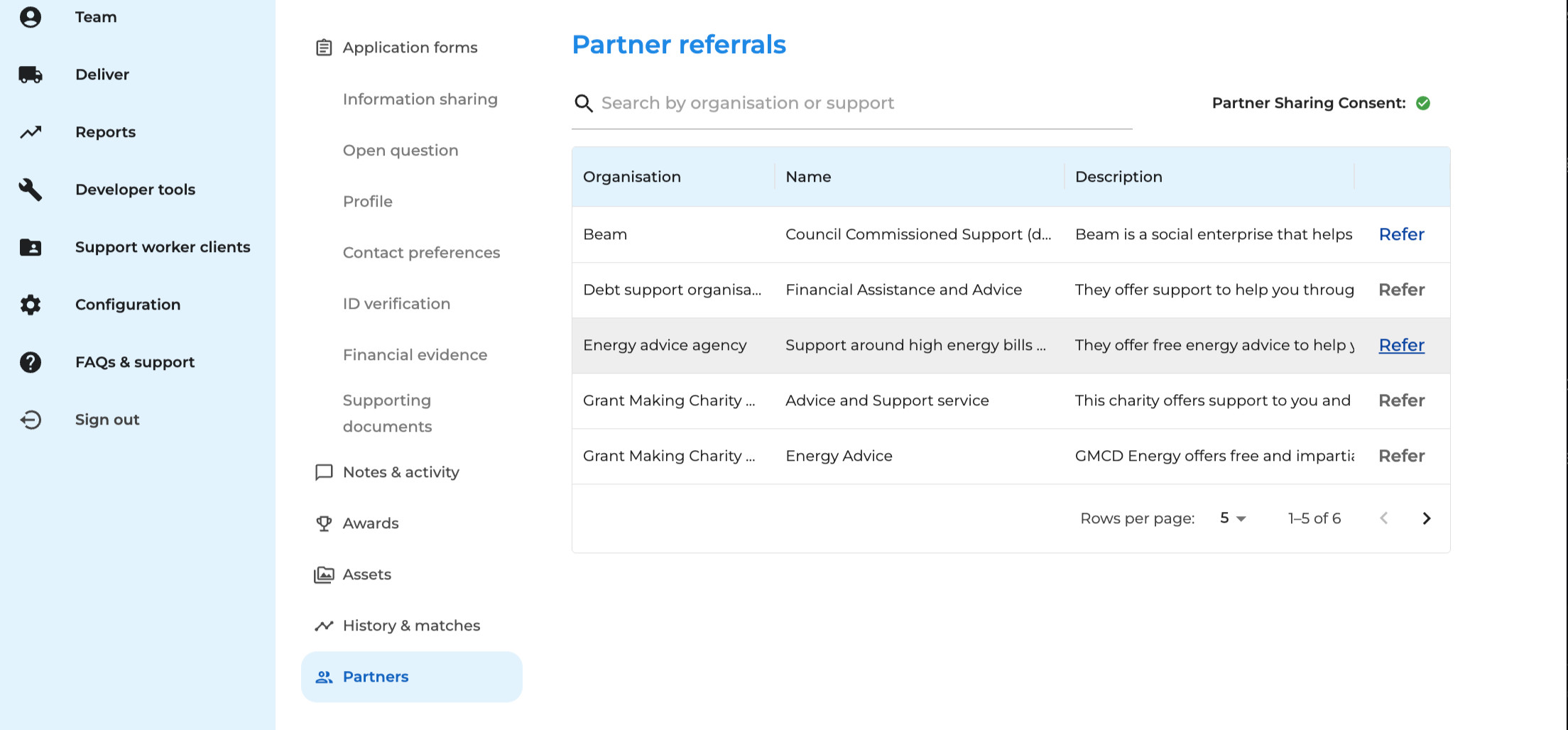
If you are interested in becoming a pilot customer for this feature, please reach out to us at hello@lightningreach.org.
New: Clients view
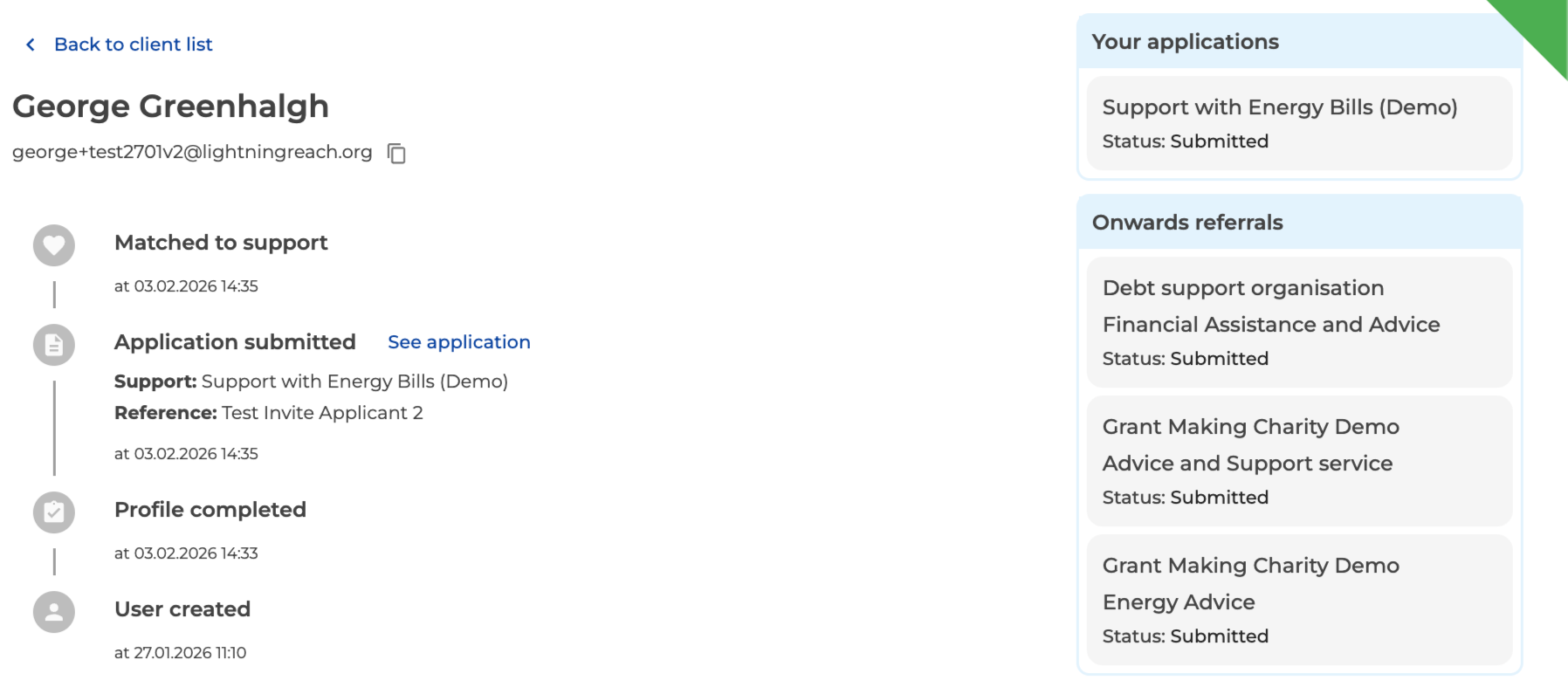
The new Clients section in the portal provides a single place to view a client’s full support history. Partners can now access a timeline view that brings together all of a client’s applications and onward partner referrals (for organisations using the Partner Hub) in one place.
This makes it easier to understand a client’s journey and the support they have received without needing to navigate between multiple applications.
Improved: A simpler route to sign up and login
We’ve redesigned the applicant sign-up and login experience to make it clearer and easier to use. The new design streamlines the process into a single page with clear next steps, helping applicants quickly register or log in and access the support they need. Check it out at https://apply.lightningreach.org/.
Improved: Open Banking data downloads
Open Banking data collected during the application process can now be downloaded as a CSV file, making it easier to export and share financial information outside of the platform when needed.
Improved: Photo previews
You can now preview all image file types directly within the platform, including HEIC files. This makes it easier to quickly view uploaded photos and documents when reviewing applications, without needing to download them first.
We’d love your feedback
Your feedback is what drives these improvements. If you have thoughts on the Income and Expenditure functionality or any of our existing features, please get in touch with George at george@lightningreach.org. Every idea helps shape what we build next!